
How To Find Your NetSuite Account ID
Jan 16, 2024
How do I find my NetSuite Account ID?
Your NetSuite Account number/ID is required when integrating third-party applications, setting up NetSuite for Outlook or contacting support.
How to find your NetSuite account number
There are three different ways to find your account ID.
*Please note that the terms NetSuite account number and NetSuite account ID are used interchangeably*
Locating your NetSuite Account ID
Through the Setup tab:
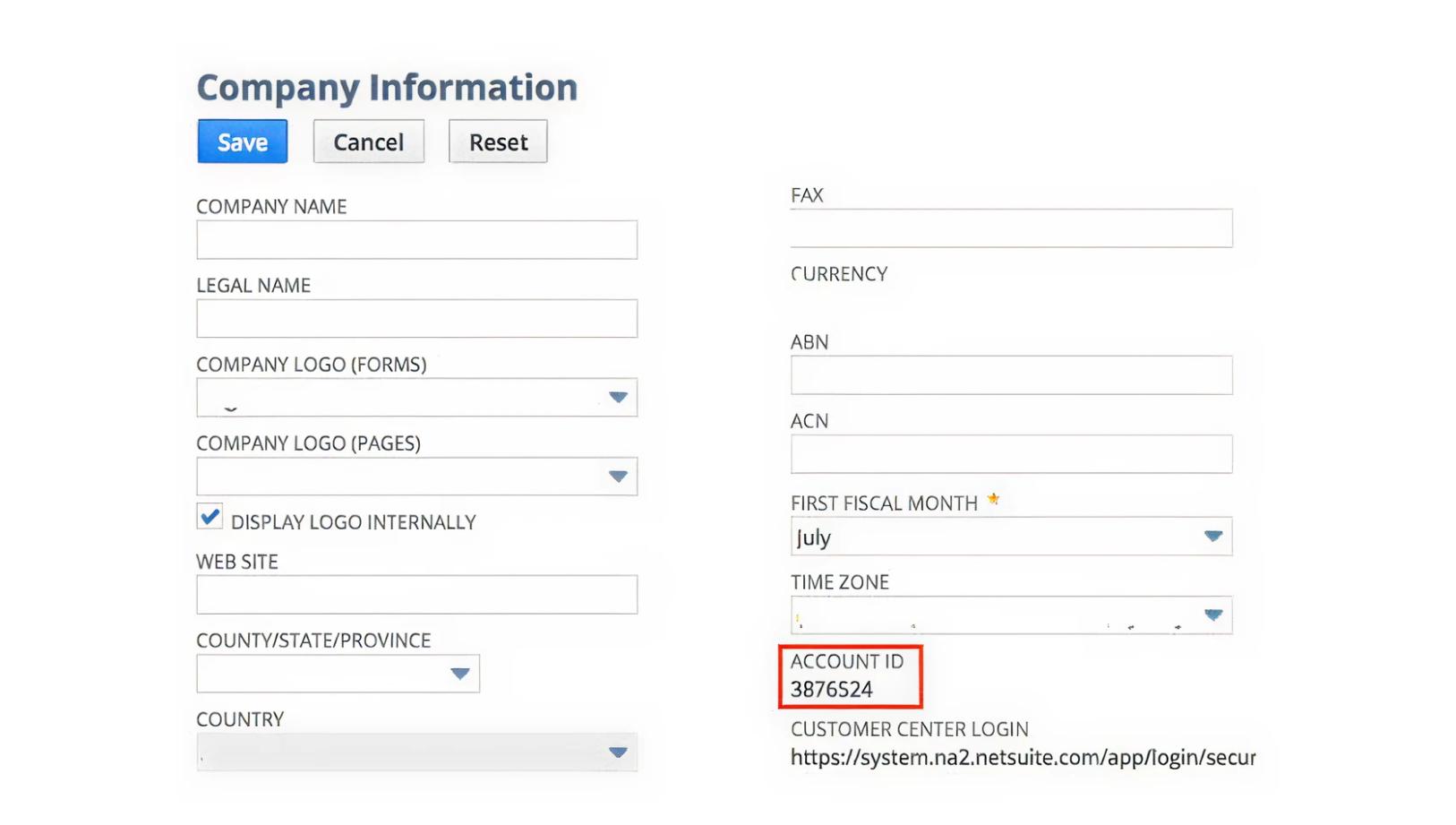
- Go to Setup > Company > Company Information
- Your account number will be listed under the Account ID field
As an administrator, under Setup, Company, Company Information, you will find the Account ID under the Time Zone setting.
Through the Support tab:
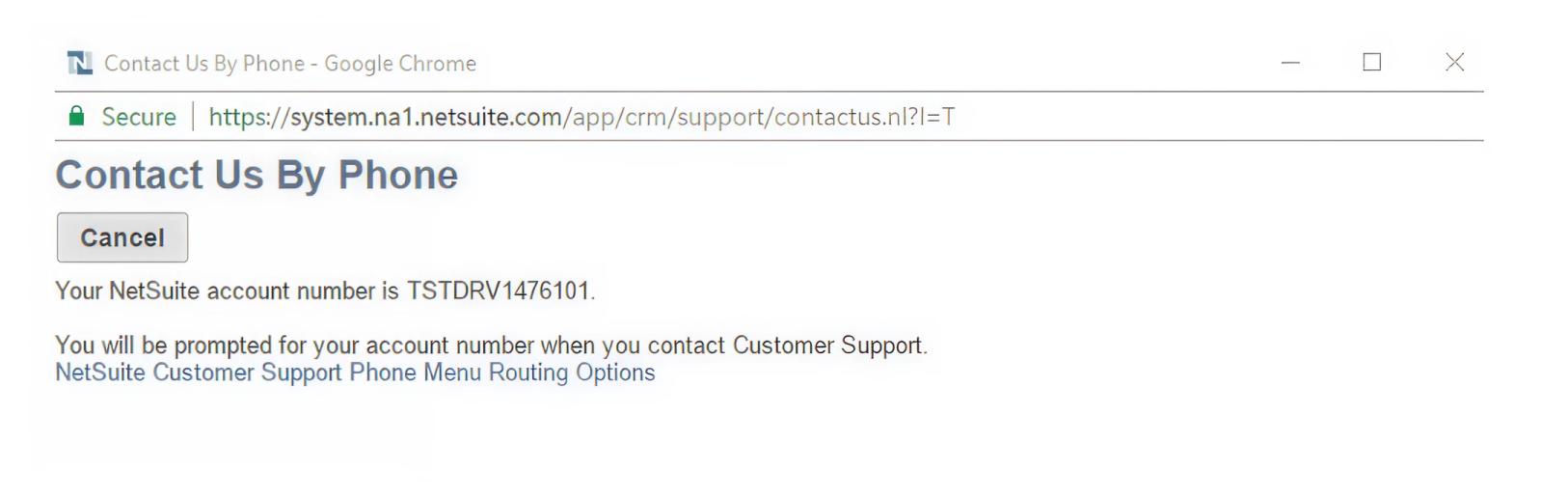
- Go to Support
- Click Go to SuiteAnswers
- Find the Contact Support by Phone on the right-hand side
- A dialogue box will open and your ID will appear on the top left-hand corner
Directly in your NetSuite URL:
Your NetSuite account ID appears at the beginning of the NetSuite URL. For example, if the URL is https://54321.app.netsuite.com, then your NetSuite Account ID is 54321.
If you’re still having trouble locating your NetSuite Account ID, contact NetSuite support as you might be experiencing a glitch or page error.
Share on
Learn More
About the author

Paul Staz
VP of Sales and Marketing
As VP of Sales and Marketing, Paul is responsible for driving growth of of the Infrastructure and Applications products in the Netwrix portfolio. His main areas of focus are security and compliance for NetSuite, Salesforce and Network Infrastructure. He is passionate about Go To Market Strategies and driving positive outcomes for customers. Previously, Paul served as the VP of Sales and Marketing at Strongpoint where he ran Go To Market functions before it was acquired by Netwrix. Paul holds a Bachelor of Arts degree and a Masters in Business Administration from McMaster University in Hamilton, Ontario, Canada.
Learn more on this subject
Identity management: How organizations manage user access
Microsoft Entra ID: What security teams need to know
Teams sprawl: Managing Microsoft Teams proliferation
Data Privacy Laws by State: Different Approaches to Privacy Protection
Risk Analysis Example: How to Evaluate Risks